Features Explained
Introduction
In the Catalog, technical specifications are organised into easy-to-read Tags. This lets you quickly scan the capabilities of any car.
Core Terminology
| Term | Meaning |
| Tags | The clickable filter buttons in the Specifications tab (e.g., Dimensions, Engine, Fuel). |
| Modification | A specific combination of engine, gearbox, and drive type within one trim level. |
| Wheelbase | The distance between front and rear axles — a longer wheelbase usually means more rear legroom. |
The Specifications Tags System
When you select the Specifications tab, you see a row of filter buttons at the top. Each button opens a detailed data table below.
How to use it:
- Scan: Find the button that interests you (e.g., "Fuel consumption," "Engine").
- Click: Clicking a button reveals a table with detailed data for each modification of the car.
Key Tags Explained
1. Dimensions & Weight
- Length / Width / Height: Critical for garage fitment.
- Wheelbase: A longer wheelbase usually means more legroom.
- Clearance: High clearance (200 mm+) is needed for off-roading.
2. Performance
- Engine: Displays configuration (e.g., V6, V8) and displacement (e.g., 5.6 L).
- Acceleration: 0–100 km/h time.
- Transmission: Automatic (AT), Manual (MT), or CVT.
3. Efficiency
- Fuel Consumption: L/100 km.
- Tank Capacity: Essential for long desert trips (some Patrols have 140 L tanks).
Visual Example
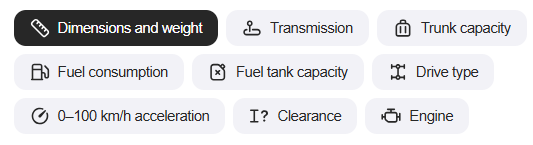
Figure 1: The Specifications interface uses clear icons for Dimensions, Transmission, Drive Type, and more.
Useful Links
Related Pages
What to Read Next
Any questions? Check the FAQ.